Stay on top of your deals from anywhere
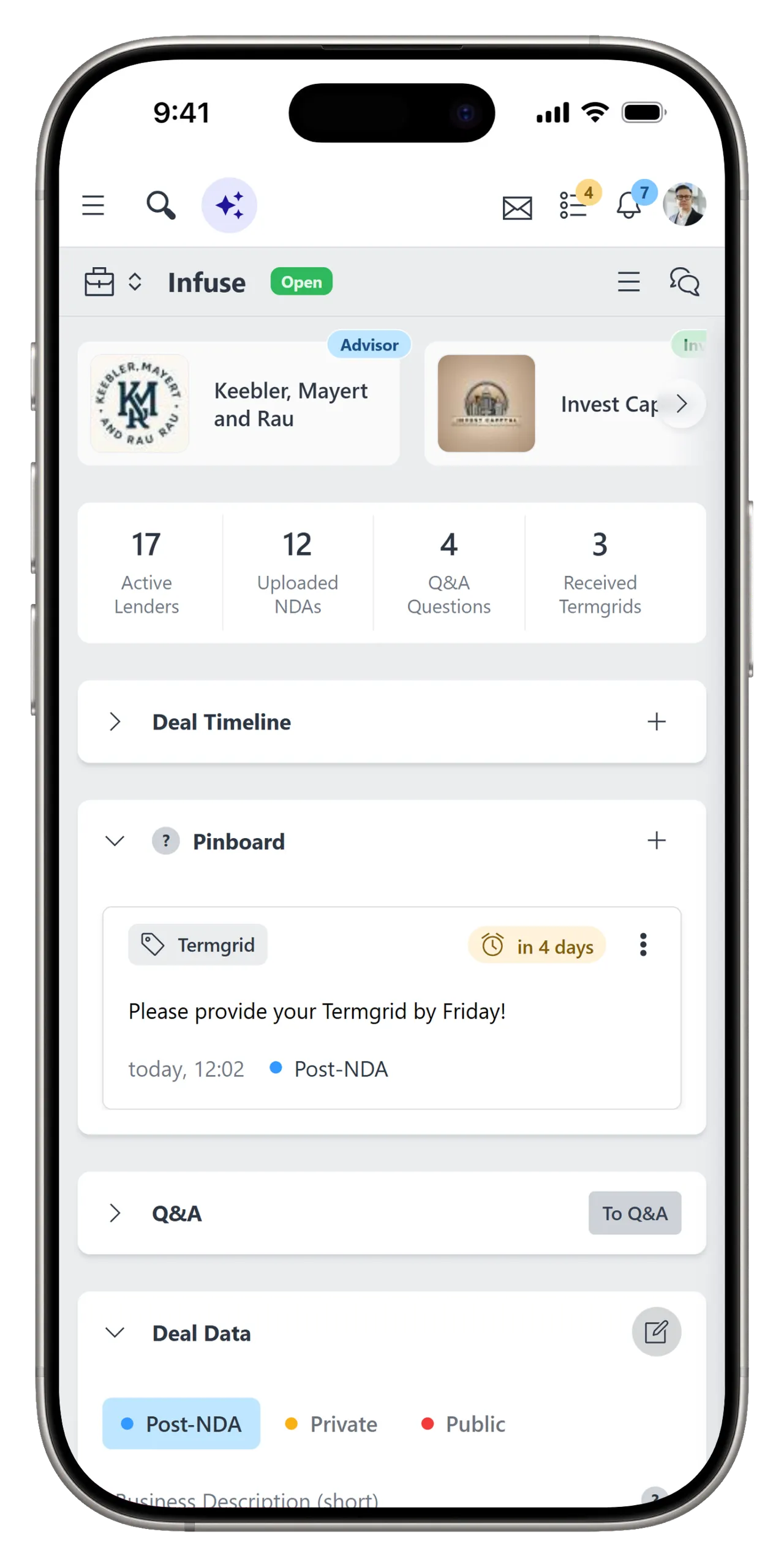
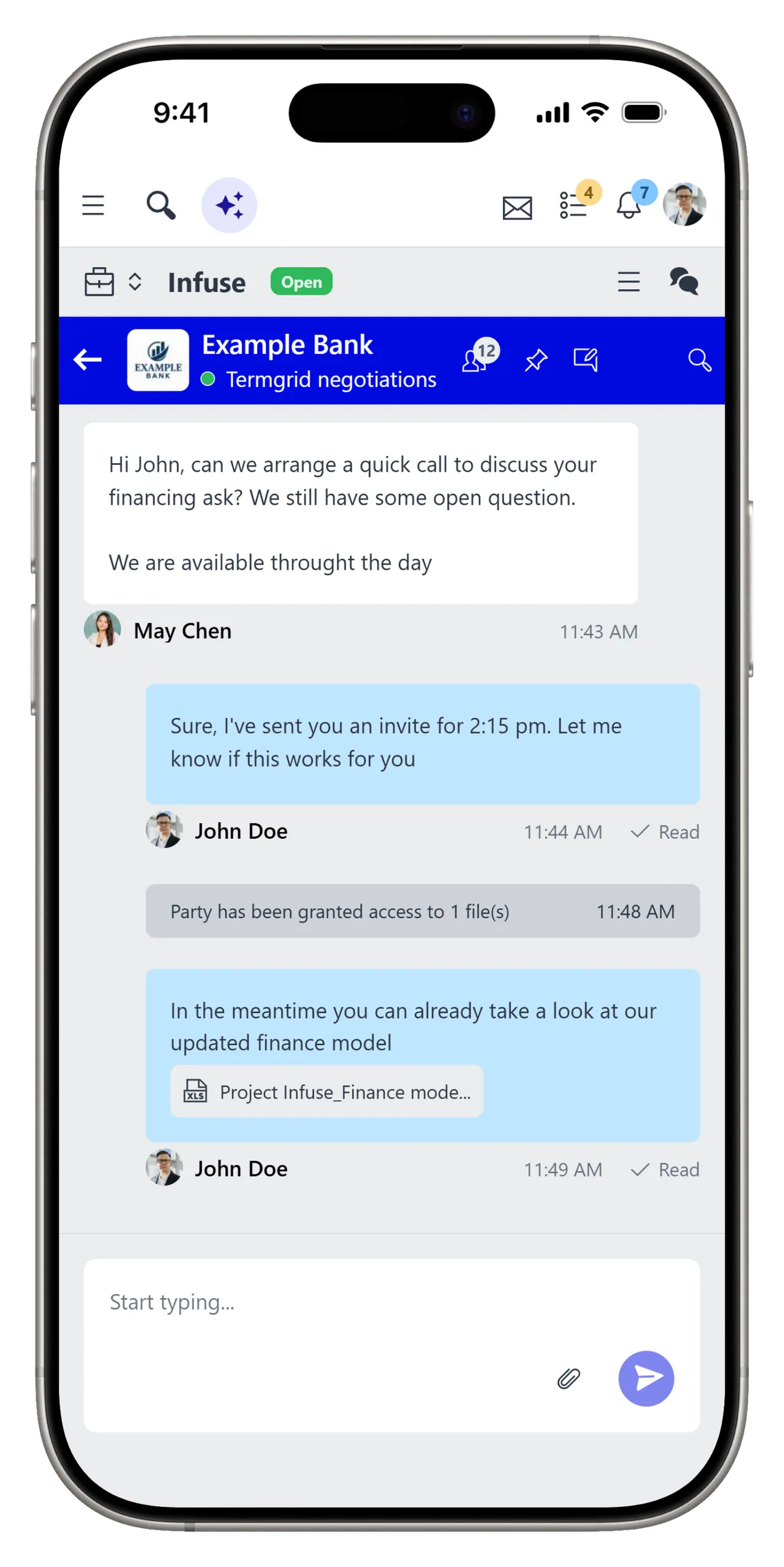
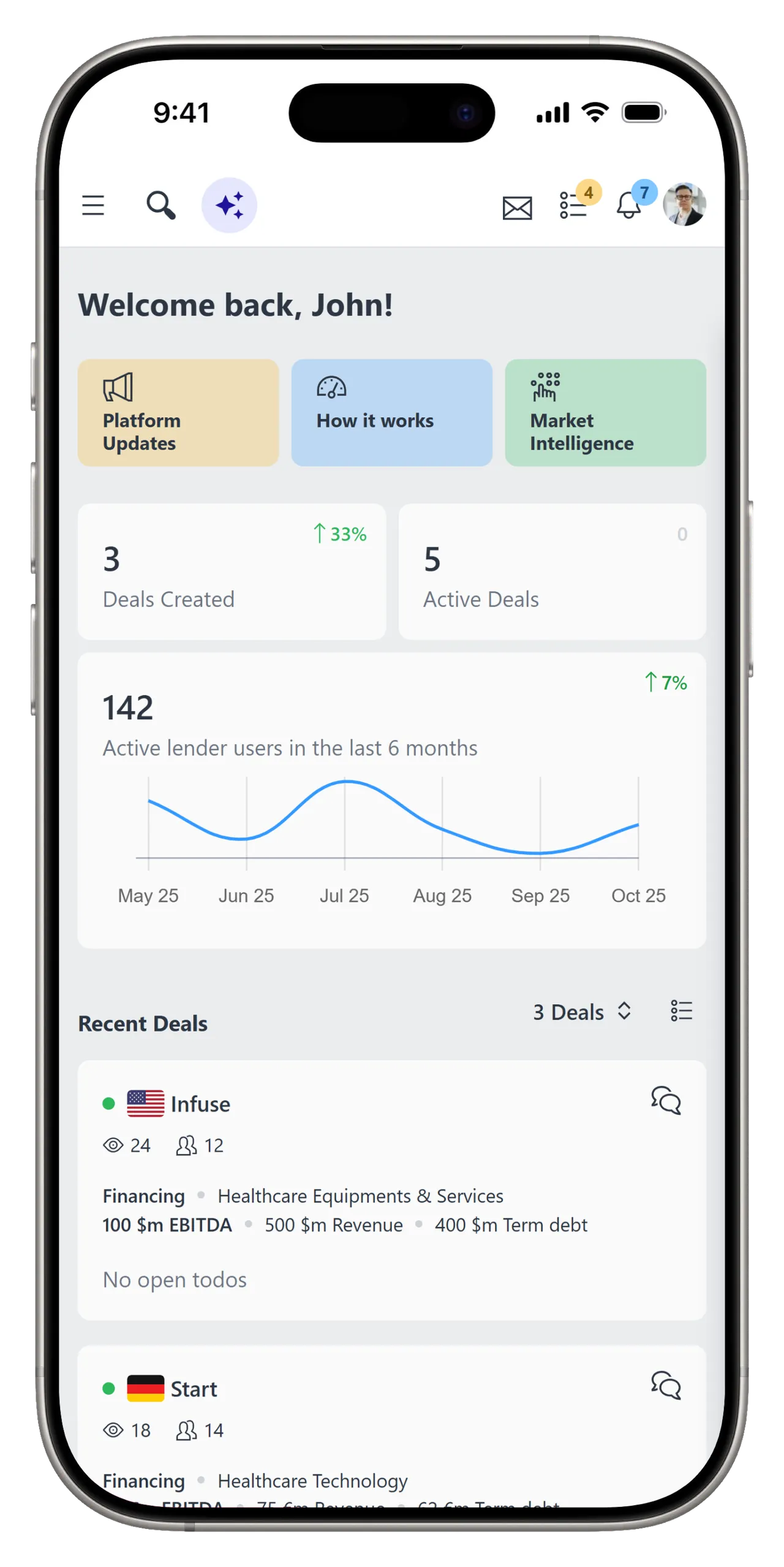
The Leverest mobile app gives deal teams access to the information and actions they need when they are away from their desks.
Mobile App
- All your deals, always with you. Stay on top of every transaction, wherever you are.
- Keep your deals moving. Securely monitor progress and react to new activity instantly.
- Stay in sync, wherever you are. Instantly reply to deal updates and lender messages from your phone.
Get started in less than two minutes
Download the Leverest mobile app and sign in with your existing Leverest account.
1
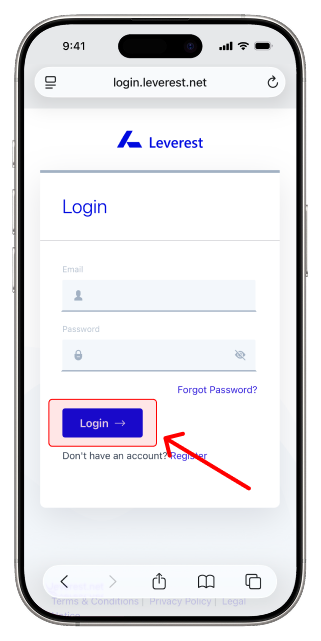
Log in to your Leverest account
Open platform.leverest.net in Safari and sign in with your Leverest account.
2
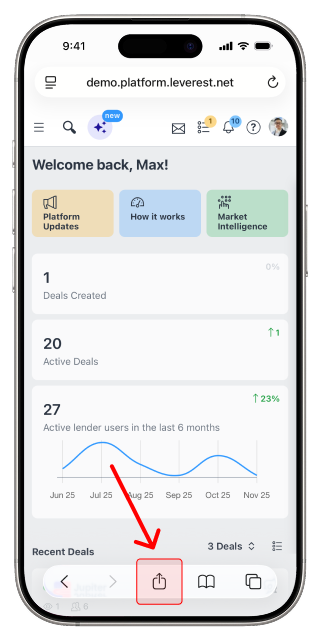
Tap on Share
Once you are in the platform, tap the Share icon in the toolbar at the bottom of the screen.
3
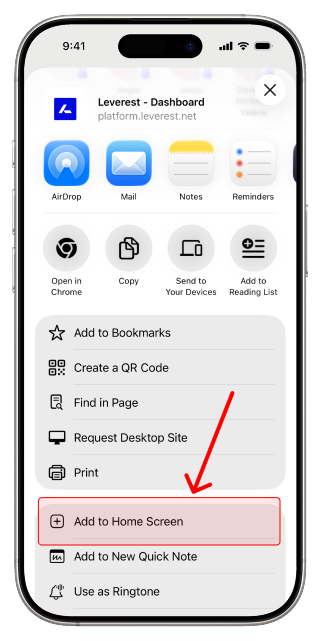
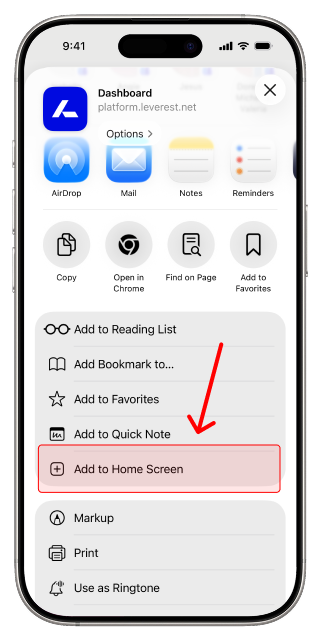
Add to Home Screen
Choose Add to Home Screen. The Leverest app icon now sits on your home screen for one-tap access.
1
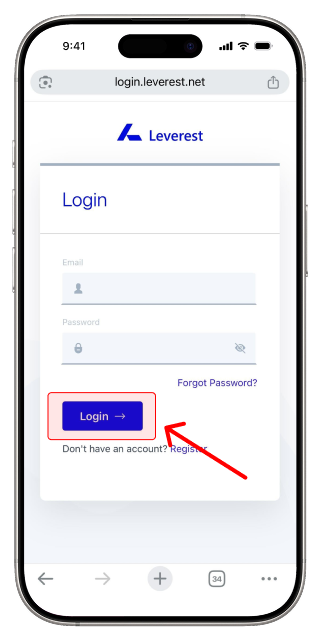
Log in to your Leverest account
Open platform.leverest.net in Chrome and sign in with your Leverest account.
2
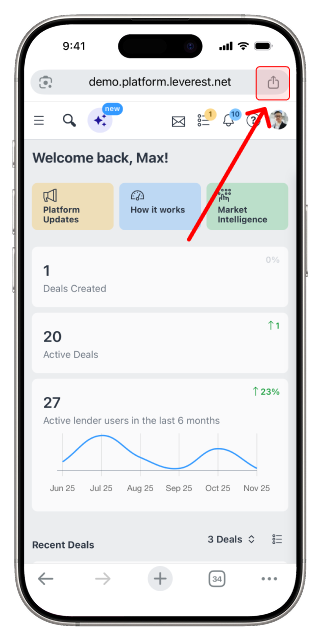
Tap on Share
Once you are in the platform, tap the Share icon at the right end of the address bar.
3
Add to Home Screen
Choose Add to Home Screen. The Leverest app icon now sits on your home screen for one-tap access.